





Prototypes
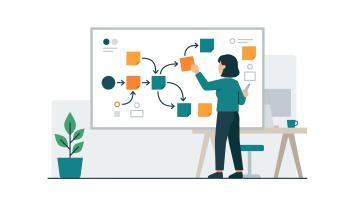
A prototype (often referred to as a proof-of-concept) is a low effort, simplified sample or model of a learning experience. It provides stakeholders and subject matter experts with an early view of how the final learning experience may look and feel, and how it may function.
Prototypes are not final products. Instead, they demonstrate key elements such as:
- learning flow and structure
- core content and messaging
- sample interactions or activities
- look and feel.
They are used early in the design process to test assumptions before committing significant time, effort or funding. A prototype should not be ‘perfect’. It should be good enough to test assumptions, identify risks and gather meaningful feedback before committing resources to the final solution.
Why is it important?
Prototypes provide an opportunity for stakeholders to give meaningful feedback before investing time and money in developing the final solution.
They support shared understanding by allowing people to see, test and interact with an early version of the learning experience, rather than relying on abstract descriptions or documentation. Prototyping is a key stage of the design process to refine the final product and reduce various risks. A prototype provides a concrete point of reference for discussions about a product that is to be developed.
What are the benefits?
- Allow people to see a design concept and visualise the final product as currently intended.
- Provide opportunity to review and approve the content, structure and overall direction prior to further development.
- Help validate assumptions and identify issues early, potentially avoiding more costly changes down the track.
- Provide an opportunity to get a general sense of the user experience and test interactive elements and ask for specific changes and iterate the concept as necessary.
Who is this suitable for?
L&D and adjacent staff, particularly learning designers, content creators, facilitators and subject matter experts.
Types of prototypes
- Checklist, prior to creating a complete resource guide.
- Screenplay outline, prior to filming on set.
- Map of an intended learning experience, prior to full development.
General Practice
Good practice is to use an application or product that stakeholders can easily access, so they can test or interact with the prototype directly and provide informed feedback.
|
Good Practice |
|---|
Example A learning team produces a short interactive prototype demonstrating the course structure, tone and sample activities of a learning experience. After each review cycle, feedback is incorporated. Once approved, the team proceeds confidently to develop the final learning experience. |
|
Practices to avoid |
|---|
A team develops a full learning solution without testing a prototype. Late feedback reveals usability issues and misalignment with learning outcomes, resulting in significant rework and delays. |
Prototype review checklist
Use this checklist when reviewing a prototype with stakeholders, subject matter experts and delivery teams to help ensure the prototype is fit for purpose before progressing to full development.
Purpose and alignment
☐ Is the purpose of the prototype clearly defined and understood?
☐ Does the prototype align with the identified business need or problem?
☐ Are the intended skills, capabilities and knowledge outcomes clear?
Learning design
☐ Is the learning flow logical and easy to follow?
☐ Does the structure support the intended learning outcomes?
☐ Are examples, activities or interactions appropriate for the target audience?
☐ Is the level of complexity suitable (not too basic or too advanced)?
Content and messaging
☐ Is the content accurate and aligned with current policy, guidance or practice?
☐ Is the language clear, plain and appropriate for the audience?
☐ Are key messages easily identifiable?
Usability and accessibility
☐ Can users easily navigate the prototype without guidance?
☐ Is the prototype accessible to users with different needs?
☐ Are fonts, colours, layouts and interactions easy to use and understand?
Technology and access
☐ Can stakeholders easily access and interact with the prototype?
☐ Is the authoring tool appropriate for future development and maintenance?
☐ Does the prototype demonstrate compatibility with intended platforms (for example, LMS or web)?
Feedback and iteration
☐ Has feedback been actively gathered from a representative group of users?
☐ Are feedback points documented and prioritised?
☐ Has the prototype been iterated based on feedback?
☐ Has formal approval been received to proceed to full build?