





Theme - Retrospectives

Retros are an important part of the agile process. They give the team a chance to reflect and share what went well and what didn't. Retros should result in action items for improvement — for example, on work processes or environment.
While feedback can be given at any meeting, retros help embed this practice into the team culture.
A retro:
- allows the team to speak honestly in a supportive environment
- helps to tackle issues and challenges quickly
- celebrates success.
Retros help create a more inclusive, collaborative and efficient team - they help the team focus how to work effectively together.
Setting up a retro
Participants in a retro
A retro includes all team members. A retro needs a facilitator to keep things on track - this can be the scrum master.
Stakeholders may be added if they have valuable insights. However, remember that honesty makes a retro work. Because of that, some retros exclude managers and senior staff.
When to run a retro
A retro can be:
- a regularly scheduled session — for example, a sprint retro
- a special session to address serious issues — for example, a post-mortem retro.
A sprint retro takes place at the end of a sprint cycle — usually a 2 week period. A retro can also be held when a project or piece of work is finished.
Tools for running a retro
For in-person meetings, a whiteboard and post-it notes can be used. For virtual teams, there are many online tools available, such as Miro or EasyRetro.
Running a retro
The following is one example of running a retro. You can set an hour to run your retro and adjust as needed.
Start by setting a supportive environment
Remind participants to be open, honest and supportive, and to work together as collaborators. This is explained by the Prime Directive, which is a guiding statement that retros follow.
Get the team to give their insights
On the whiteboard, set up 3 spaces for the team to provide feedback on. Each deals with one of the 3 questions:
- What worked well? This celebrates the team's successes and achievements.
- What could be improved? This highlights issues or problems.
- What actions can we take for next time? The team makes suggestions for improvement.
Give people time to add their thoughts to the first 2 questions.
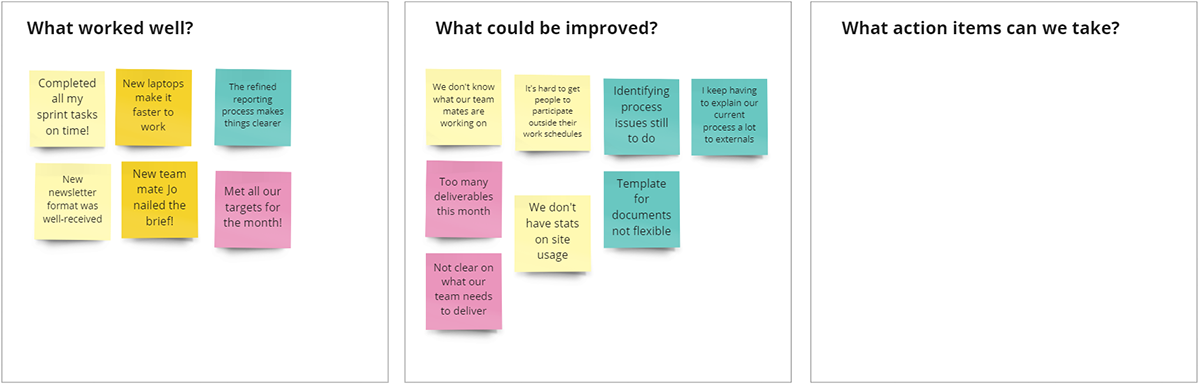
Figure 1: Divide each question into a column or section, and give time for the team to add their thoughts.
Allow time for feedback and discussion
If there are a lot of action items in each section, consider voting to finalise the list for discussion. Ideally you should discuss each of the 3 questions.
Decide on action items for next time
Make sure you end your session with agreed action items for the team to take forward.
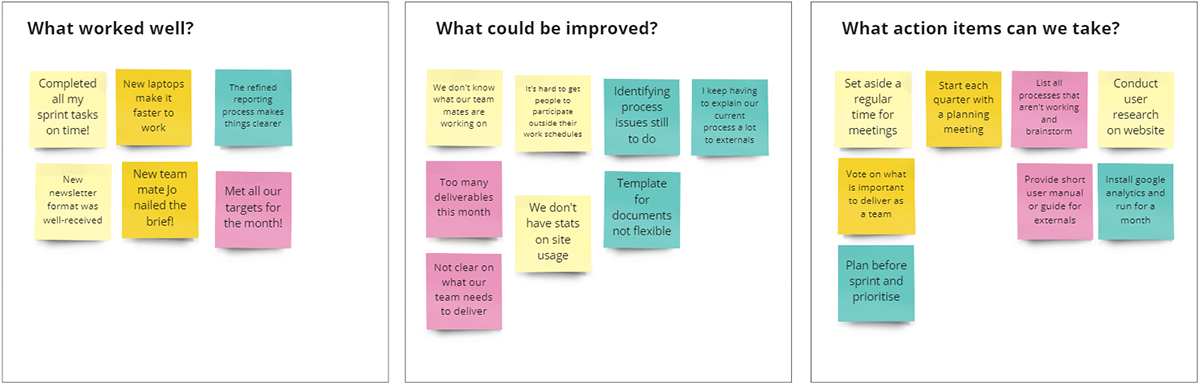 Figure 2: Complete the last column for action items. Items with a similar theme can be grouped.
Other retro models
Adapt your retro to meet your team's needs. Other retro formats include:
- Stop, Start, Continue — this asks the team what they'd like to start, stop and continue doing.
- Sailboat — this visually lists positive and negative aspects of the project.
- Lean Coffee — this helps the team prioritise topics or ideas to discuss.
Tips for a good retro
- Focus on the reason for running a retro, rather than the method.
- Make sure that everyone feels equal and that all contributions are valued.
- Create a safe and non-judgemental space for the team.
- Celebrate successes and highlight good practices and behaviours.
- Record the action items — they can be used to show progress at the next team retro.
Things to avoid
- Don't try to be perfect. You'll get better with time and practice.
- Don't use a retro to find fault or someone to blame.
- Don't make things personal.